QuickQ Accelerator

Install it, open it, tap once — it handles the rest

Get the Windows app
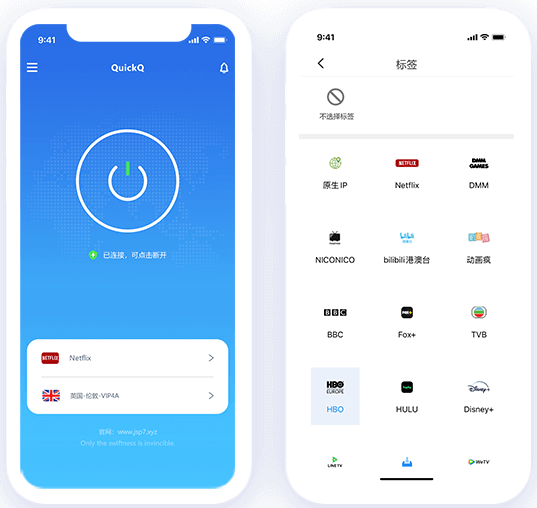
QuickQ accelerator mobile interface

What QuickQ takes off your plate

Routing, configuration and encryption stay in the background; you only care whether the page opens.

Stay online while you travel

Stay online while you travel

Business trips, study abroad or a few months overseas — your usual sites and media libraries keep opening as before.
Swap your exit address

Swap your exit address

Pick a node and your traffic leaves from that region, so the sites you visit don't see your real exit address.

Safer on shared Wi-Fi

Safer on shared Wi-Fi

Airport and cafe networks are shared with strangers; the tunnel wraps your connection so neighbours can't read it.

Connect with one tap

Connect with one tap

The rebuilt connection core measures latency first, then picks the route — no node hunting, no config files.

Install it first — decide for yourself

New users start with a free trial, and support covers most hours of the day.

A look at the app

A few everyday screens here; the rest is easier to judge once it's installed.
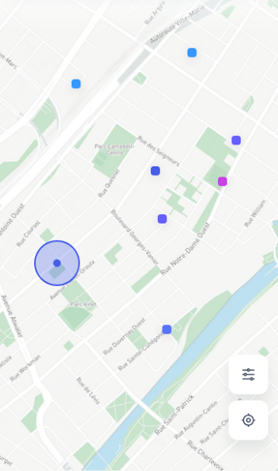
QuickQ app screen example 1QuickQ app screen example 2QuickQ app screen example 3QuickQ app screen example 4

Pick the build you need

Phone, laptop and tablet each get their own client; the installers are small and set up in minutes.

Windows

Windows

Runs on Windows 7 and newer

Download

macOS

macOS

Runs on macOS 10.13 and newer

Download

Android

Android

Runs on Android 6.0 and newer

Download

QuickQ Journal

Setup tips, networking basics and the pitfalls we ran into
Why cross-border work calls stutter, and where the delay hides

Why cross-border work calls stutter, and where the delay hides

2026-08-18
Are more nodes always better? The trade-offs behind routing

Are more nodes always better? The trade-offs behind routing

2026-06-02
Habits worth keeping when you use shared Wi-Fi

Habits worth keeping when you use shared Wi-Fi

2026-04-11
Three devices, one account: how to divide them up

Three devices, one account: how to divide them up

2026-02-27